
Q: The A3 “2-in-1” software consistently reports a collision detection error—regardless of whether the trigger was caused by the infrared beam sensor or an actual physical collision. If you are unable to be on-site, you can attempt to disable specific functions remotely to isolate the root cause.
A: 1. Disable the infrared beam monitoring function; simply change the corresponding parameter value from 1 to 0.
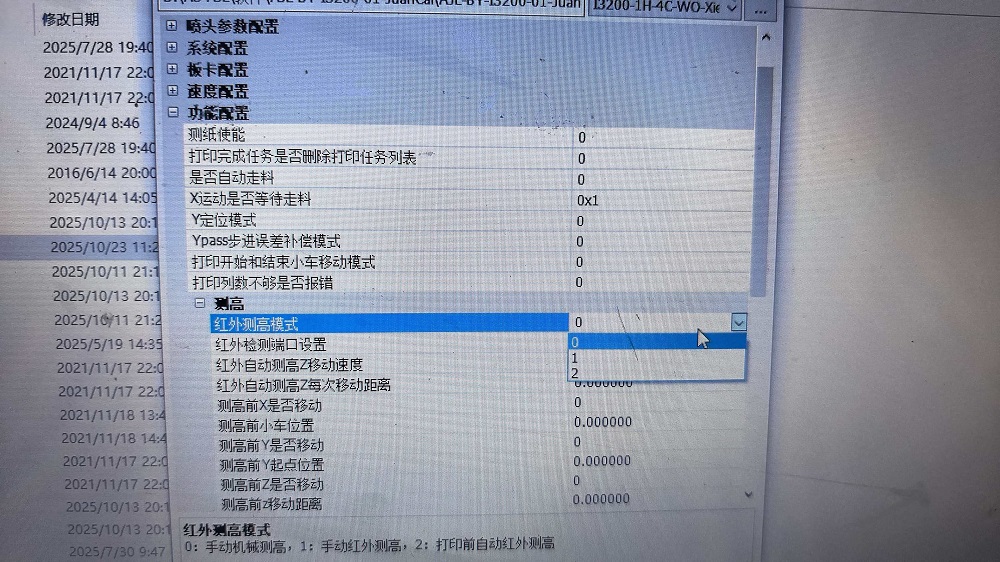
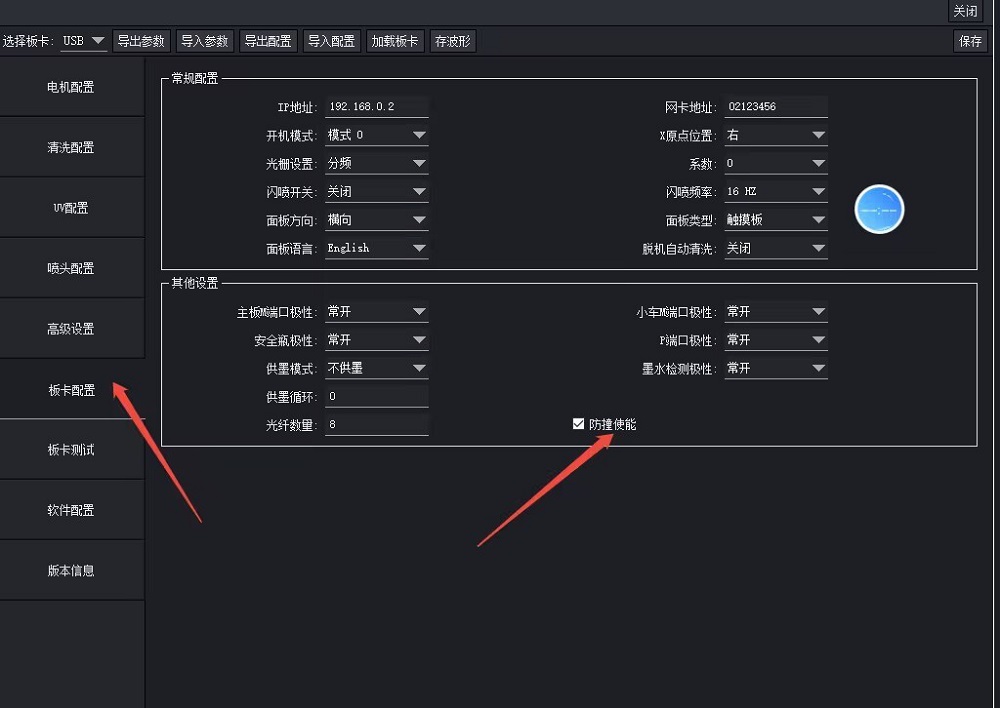
2. In the software’s Factory Mode, you can temporarily disable the collision detection system to facilitate testing.



Leave A Comment